A BIG WALL OF IMPROVEMENTS
We've been busy building, so instead of a full write-up, this one is a long list of small improvements you've been asking for. We call these sand updates. Not a big rock or a pebble, but pour in enough and it fills the gaps. More is on the way.
Voice AI improvements
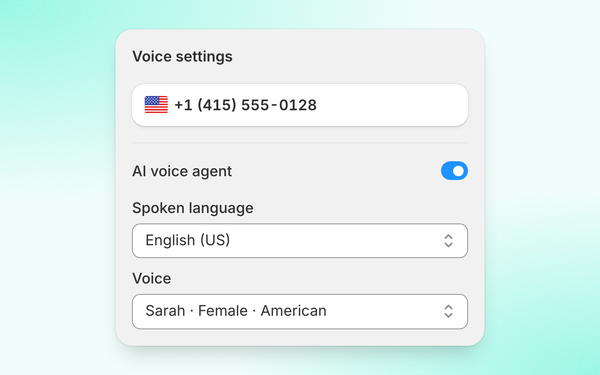
At launch, voice AI sounded robotic. That's fixed, and it now sounds the way you'd expect. If you tested it early, try it again!
Voice AI is out of beta
It stays in the caller's language
It reads the recording notice in its own voice
Conversation merge
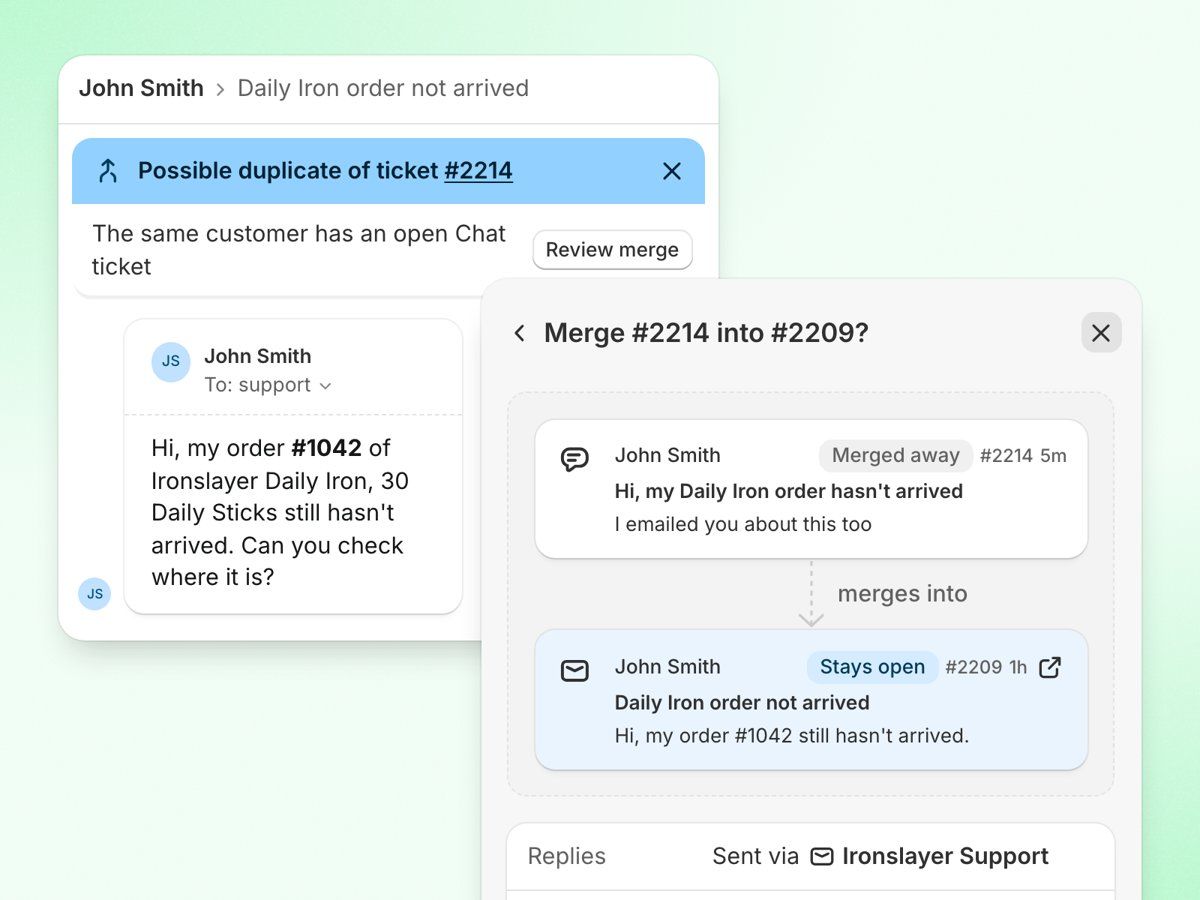
The new conversation merge is now available for everyone.
Merge a chat, WhatsApp, call or social conversation into the customer's email ticket. Replies go out by email.
New messages on the old channel land in the same thread after a merge
When the same customer has an open email ticket and starts a chat or DM, a "Possible duplicate" banner shows on the ticket. Merge in one click or dismiss it.
Search by name or message text when picking a ticket to merge into. The customer's other email tickets are suggested.
See which ticket is kept before you merge. Messages stay in time order.
Undo a merge from either ticket or from Cmd+K
Coming next: merging and linking contacts, and suggested matches for duplicate customer profiles.
Audit logs
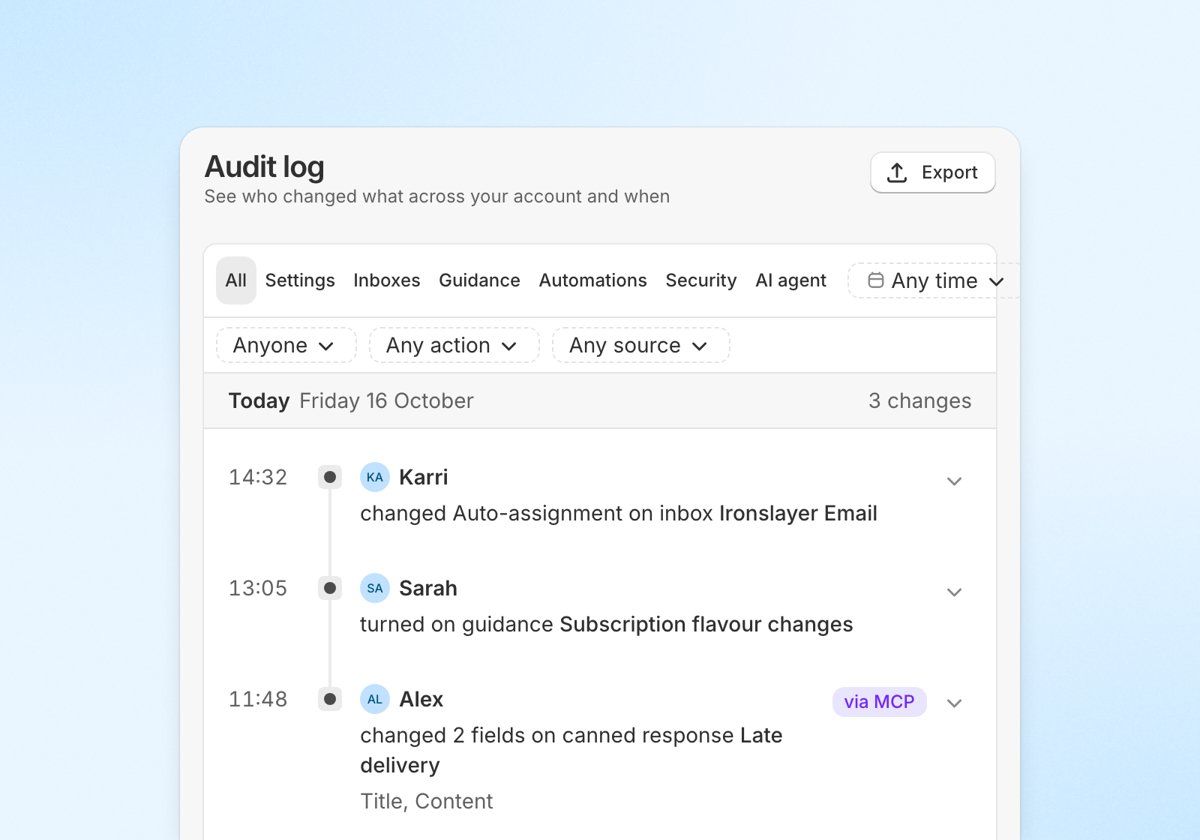
New audit log shows who changed what and when. Find it in Settings → Audit log (admins only).
Covers settings, inboxes, guidance, automations and every action the AI agent takes
Filter by agent and export to CSV
Choose who gets auto-assigned
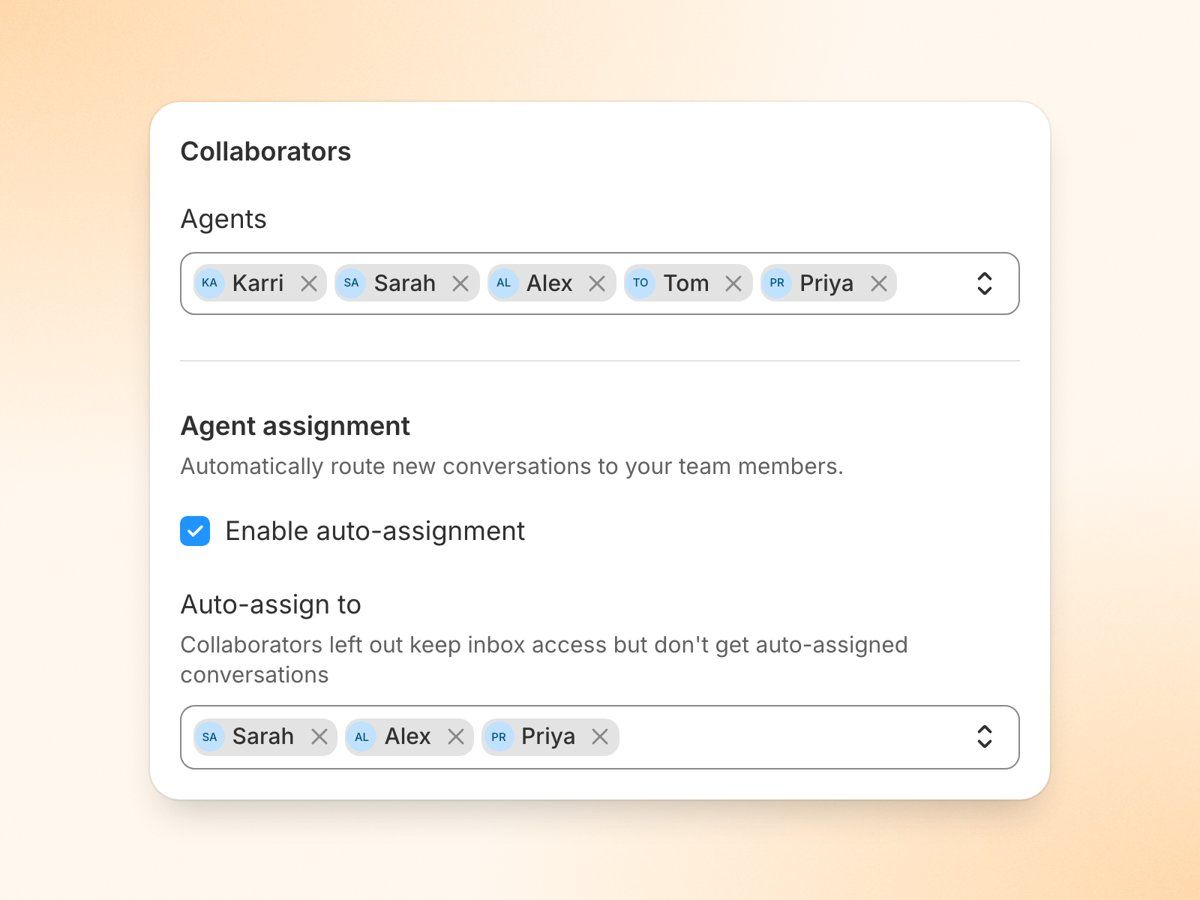
Choose which agents get conversations auto-assigned in each inbox. Others keep access without being assigned.
Set it in Settings → Inboxes → your inbox → Collaborators → Auto-assign to.
Reorder the conversation sidebar
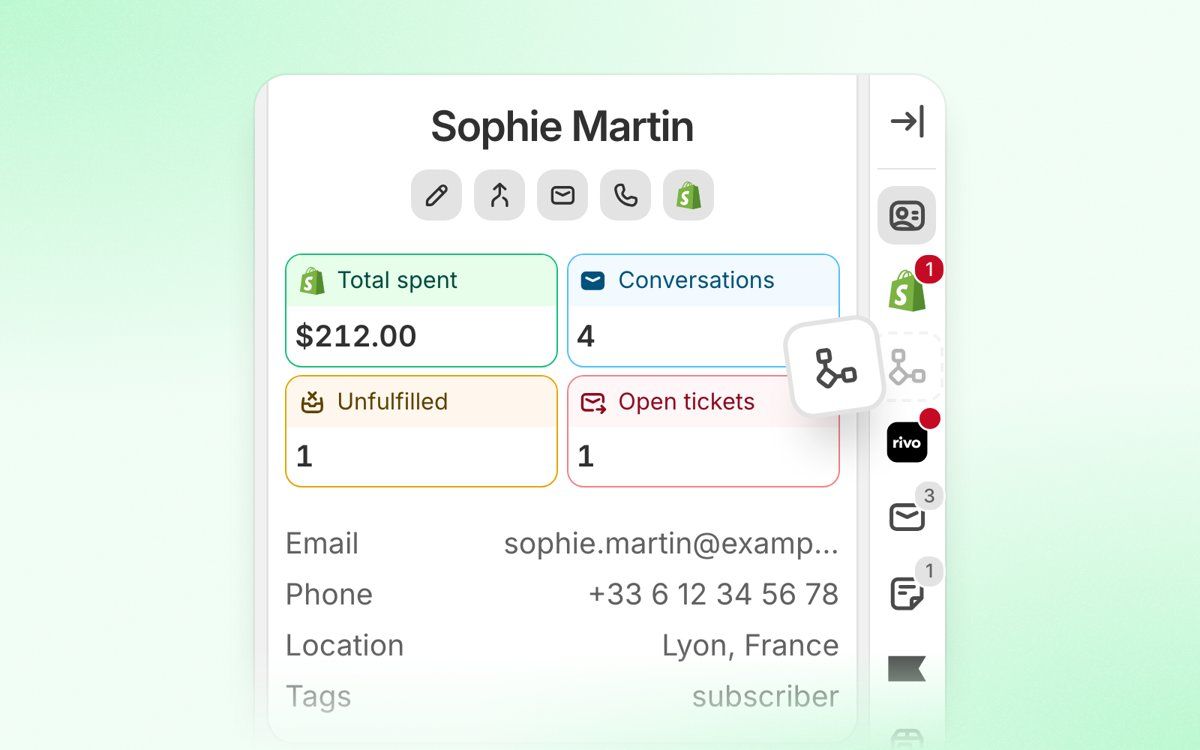
Drag the conversation sidebar icons into the order you want
AI agent
Guidance drafts: the live AI keeps the old version until you click Save and publish. Playground results match what the AI does after publishing.
The AI finds and verifies orders when the customer writes from a different email or types their email in the message
Loop Subscriptions: the AI can pause a subscription and change how often it ships (off by default). If it can't find the subscription, it asks which email it's under before handing over.
Rivo: the AI can add or remove points, redeem one-time rewards like discounts, and cancel memberships (all off by default)
Raise the AI's refund limits yourself, up to 250 refunds and 10,000 a day in your shop's currency
The AI can change items on orders that are on hold
Less "Ugh" slang in AI replies
AI agent → Overview shows resolution, handover and automation rates plus time saved, with 30-day charts and a per-inbox breakdown (paid plans)
Changing a guidance adds a marker to the Overview charts, so you can see the effect
Performance card for each guidance, an Improve mode and suggested opportunities on the Overview
AI replies waiting for approval use the customer's latest message and the current order, in the right language
Custom actions accept {{variables}} in the URL path
The custom actions log marks failed calls, including ones that only worked on a retry
MCP
Approve, reject or edit AI replies waiting for approval
Edit or dismiss guidance proposals
Send private replies to comments, add files and mention teammates in notes
Read and change every inbox setting
Upload images to help articles and file feature requests
Test chat, DM and comment guidance in the playground, and see how each guidance performs after a change. Guide: https://docs.commslayer.com/articles/1790768405-build-and-improve-ai-agent-guidance-with-an-ai-assistant
Channels and integrations
Loop Subscriptions works across several Shopify stores, and phone-only contacts show their subscriptions in the sidebar
New Intercom importer for conversations, saved replies, contacts and tags (Settings → Import)
WhatsApp voice notes play in the conversation, and incoming WhatsApp messages arrive faster
Automation rules can target Facebook comments and ad comments, for example to close them automatically
Phone inboxes catch automated verification calls, like a WhatsApp registration code
Gorgias imports bring over photos and files on messages
Inbox and conversations
Search finds conversations by attachment file name
Agents idle for 15 minutes go offline automatically, so calls and chats stop routing to them
Emailed conversation transcripts show the name and email address for each message
Auto-translate is more reliable with excluded languages
Customer portal
Shoppers see the tracking number next to each fulfilled order
Drag articles into the order you want inside a category
Turning off the hero, search, breadcrumbs or navigation hides them on your live help center
Reports
New first contact resolution (FCR) widget for custom dashboards
Contact reasons report is more complete. Chats without a reason get one, and unreviewed AI suggestions, opt-outs and playground conversations are left out.
Pending counts in reports and the workload tile are more reliable
The social comments chart uses your timezone
Agent drill-downs, the daily report, auto-label counts, CSAT and agent filters and the Conversation Traffic export are more reliable
Tooltips explain who gets credit for a resolved ticket
Settings
Search in Settings to find any setting and jump straight to it
Usage & billing shows up to 12 past billing cycles with conversations, AI replies, drafts and voice minutes
Smaller improvements
Long drafts stay put when you switch conversations
Bounced replies are marked as bounced with the reason, and a blocked address unblocks once the customer emails in again
Resolve pending and snoozed tickets in one click, also from Cmd+K
Addresses pasted from the sidebar keep their format
Gmail signatures with images are more reliable
The Klaviyo and Shopify syncs are more reliable
Smoother calling for ported numbers and same-country calls
Easier proof uploads when porting a number
Questions or need a hand setting any of this up? Reach out in chat.
If you like what we are shipping, don't forget to leave a review to the appstore 🤝: https://apps.shopify.com/commslayer#modal-show=WriteReviewModal
Have a great weekend!
-Karri / cofounder